
tldr: Setting up AI QA automation in a 5-person startup is a 7-day job if you know which 3 things break. Day 1 to 7 is plumbing. Day 8 onward is where most teams give up. This post is the day-by-day plan, the failure modes that kill momentum, and the call on when to run AI QA yourself versus using a done-for-you platform.
You're already using AI to ship faster, why not for QA?
If you're an early-stage team building a web app or dashboard, you're moving fast. You've adopted GitHub Copilot, Cursor, and Notion AI to write code, plan features, and automate parts of the product loop. You're already trusting AI to ship faster.
End-to-end browser testing is the missing layer. It's still mostly manual, which creates a bottleneck in an otherwise AI-enhanced workflow. Founders and engineers click through flows by hand, write brittle test scripts, or skip tests altogether to hit deadlines.
Most automation tools are too noisy, too fragile, or too complex for fast-moving teams. They need configuration, frequent updates, and constant attention. Combined with limited engineering time, that leaves early-stage teams stuck between flaky coverage and high maintenance costs.
This guide walks through what AI QA automation actually does for a startup, the 7-day implementation plan, and the 3 failure modes that hit in week 2.

What AI QA automation actually does for a startup
AI QA automation, sometimes called AI-powered QA, means an AI agent navigates your web app, generates browser tests from a description of intent (not a script), runs them on every commit, and adapts when the UI changes. The startup-specific value is the speed of setup. No QA engineer to hire. No selectors to maintain. No CI infrastructure to build from scratch.
What AI QA automation gives you in week 1:
-
Coverage of your critical user flows (login, signup, checkout, the one feature that generates revenue)
-
Tests that run automatically on every pull request
-
Bug reports with video, repro steps, and an actionable signal in your existing tools
-
Self-healing when designers move buttons around
What it doesn't give you, even in 2026: deep exploratory testing, accessibility audits with assistive tech, or compliance-grade human sign-off. AI QA automation is for regression and E2E, not for replacing every kind of human QA work.
Why traditional QA fails early-stage teams
Many teams turn to DIY testing tools like BrowserStack and LambdaTest, or frameworks like Playwright, to fill the gap. These tools are powerful, but they still need manual setup, constant maintenance, and dedicated effort to write and update tests.
Those efforts add up. A single UI change can break dozens of test cases. Maintaining flaky test suites becomes a second job for your developers, one that pulls them off product work.
For startups moving fast, traditional approaches become time-consuming and brittle, especially as the web app evolves week to week. The pattern is consistent:
-
You don't have dedicated QA engineers
-
Manual testing doesn't scale when you're pushing updates daily
-
Most automation tools are built for mature teams with full-time QA staff
-
Writing and maintaining tests takes too much time and context-switching
Skipping QA means shipping bugs. Bugs that kill onboarding, kill retention, and kill trust.
A 2025 Forrester study found that 55% of organizations already use AI in their testing workflows, with 70% of mature DevOps teams relying on AI-powered tools to maintain speed and coverage.
What the AI QA automation category looks like in 2026
Industry data backs the shift. Test Guild's Top 8 Automation Testing Trends Shaping 2025 identifies agentic AI, human-in-the-loop QA, and continuous quality systems as the three patterns driving the next generation of QA tools. Gartner's 2025 AI predictions note that organizations using AI in operational roles like QA must prioritize data integrity and human oversight to avoid unreliable AI outputs.
For a startup, that means picking an AI QA automation platform that combines autonomous agents (for speed and self-healing) with human verification (for accuracy and edge cases). Pure-AI systems hallucinate test failures. Pure-human systems are too slow for daily deploys. The hybrid is the only model that works at startup velocity.
A practical example: Bug0 runs multiple AI agents to emulate real user behavior, auto-generate and maintain test suites, and routes every test through human verification before going live. That's the model the rest of this post walks through with a 7-day plan.
The 7-day AI QA automation implementation plan
For a 5-person startup, here's the day-by-day setup. The pattern works for any AI QA automation platform that supports CI integration and natural-language test generation. Specifics below reference the Bug0 flow because that's what we run, but the day-by-day shape applies broadly.
The principle: do the plumbing in days 1 to 3, get coverage by day 7, expect things to break in week 2.
For the underlying CI testing pattern, see our guide to pull request testing. For mobile-specific testing concerns, see making websites mobile-friendly in 2026.
Day 1: secure access and CI/CD setup
-
Give the platform access to your staging environment (read-only, no codebase access required)
-
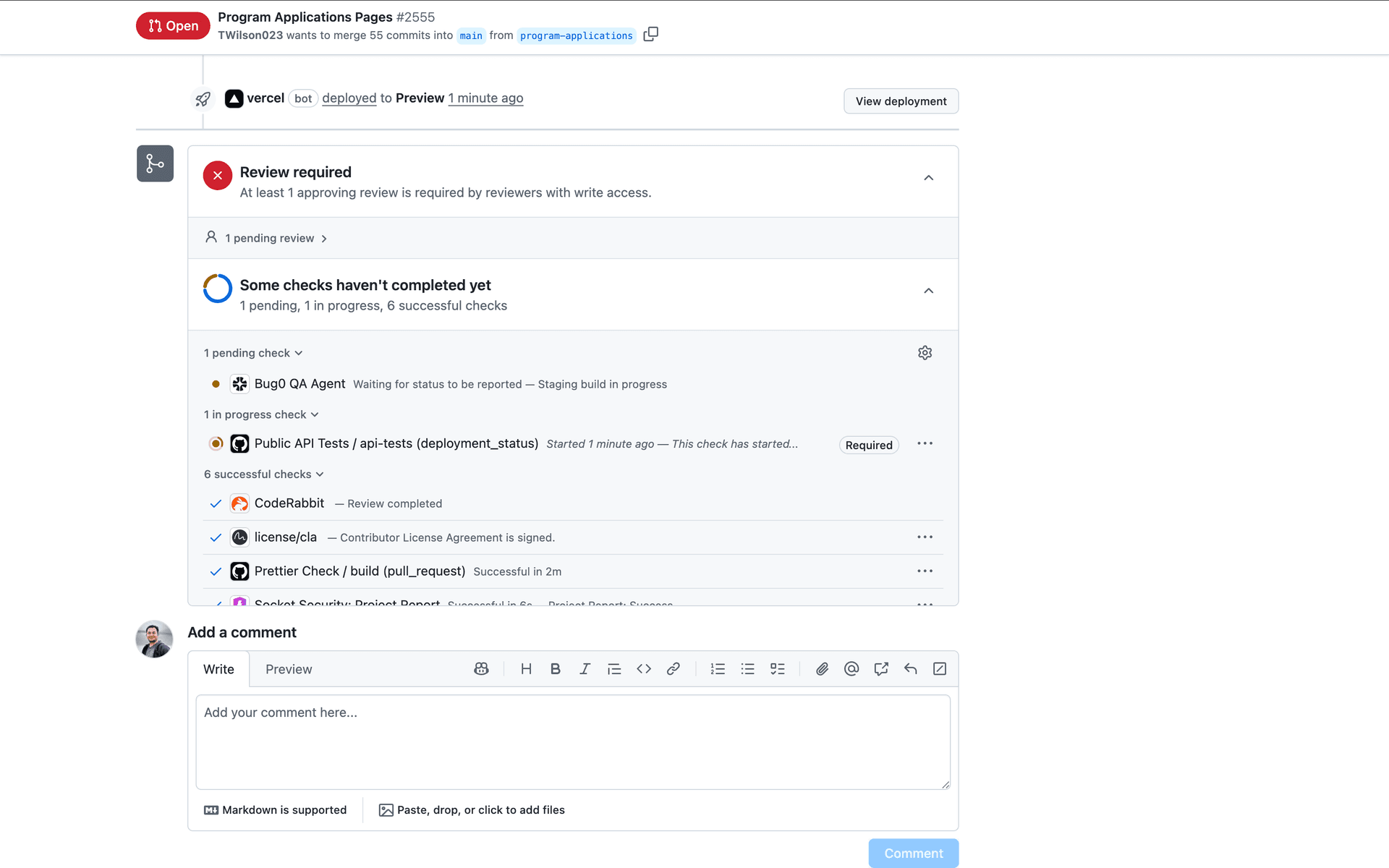
Connect directly to your CI/CD via GitHub App or integrations like Vercel or AWS
-
Set up monitoring to trigger test runs on every PR, commit, or deploy
Expected blockers: OAuth flows requiring 2FA on test accounts. Solve by provisioning a dedicated test user with TOTP secrets stored in your secret manager.
Days 2–3: AI agents map your app
-
User flow agents explore your web app and identify how real users interact with it
-
You confirm which flows are critical (login, signup, checkout, the one feature that drives revenue)
-
Test case agents convert these flows into AI-powered tests (Playwright-based under the hood) that mirror real-world usage
-
Tests are readable, resilient, and built to evolve as your product does
Expected blockers: CAPTCHA on signup forms. Solve by allowlisting test IPs or using a CAPTCHA-bypass token in staging.
Days 4–7: regression coverage and automation
-
All critical user flows are covered with stable, production-grade tests
-
Full regression suites run automatically on every new PR or commit
-
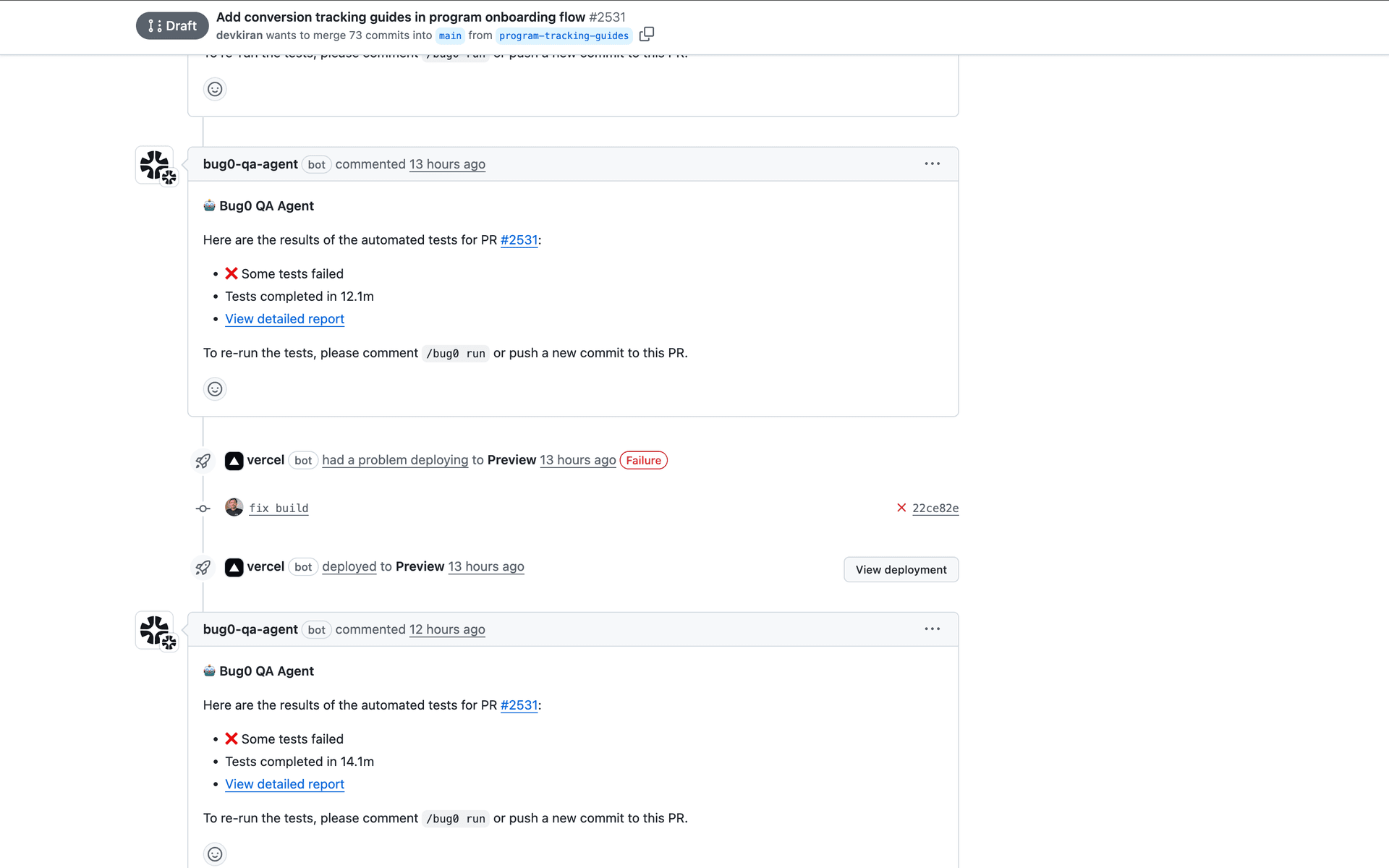
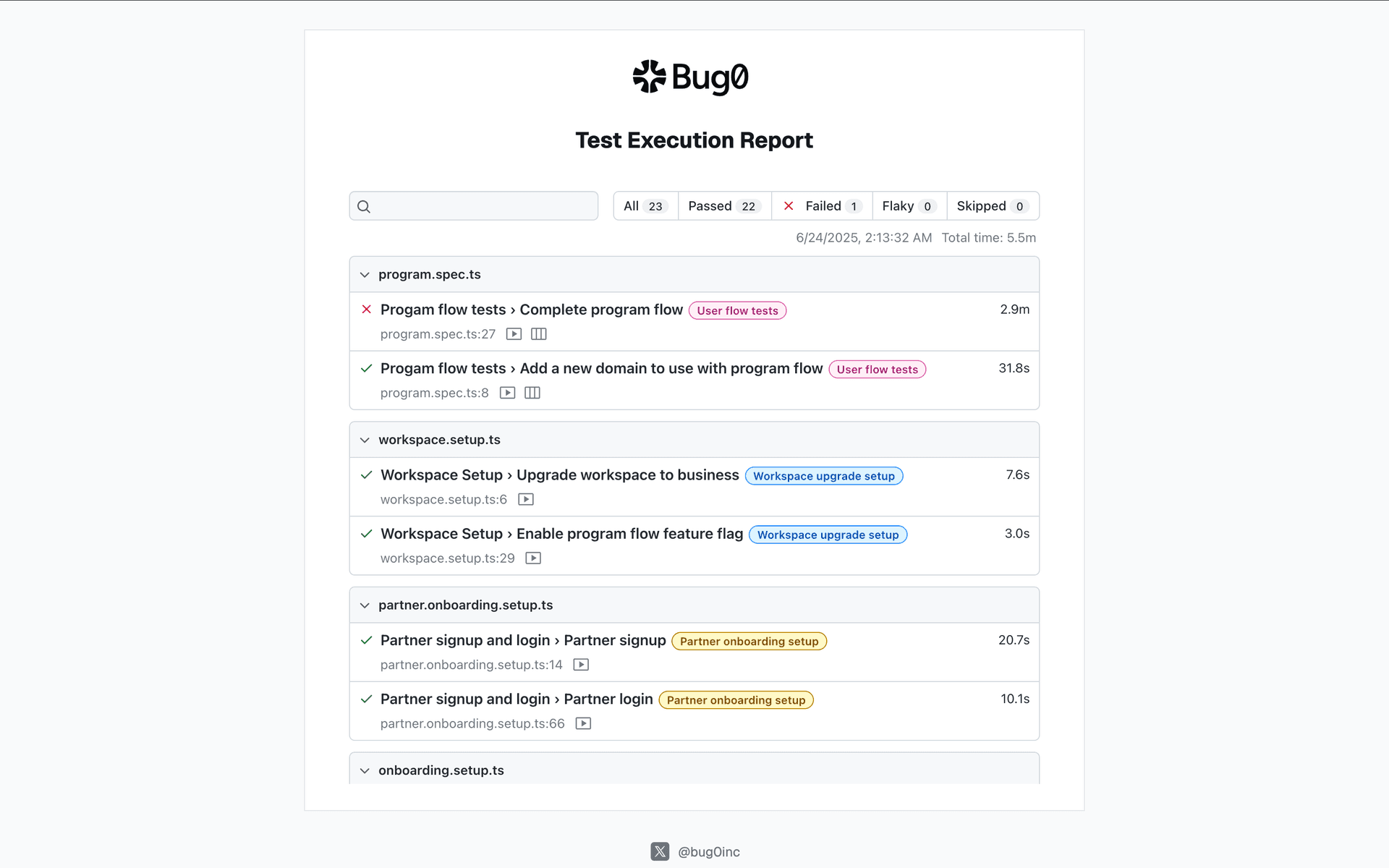
Results post as GitHub PR checks, comments, and Slack reports
-
You ship with real confidence
Expected blockers: staging environment data drift. If staging is reset nightly, tests that depend on persistent state will flake. Use a fixed seed dataset or per-test fixtures.
Weeks 2–3: broader coverage and self-healing
-
After 100% of critical flows in week 1, the platform expands to ~80% of your web app's high-traffic functional areas over the next 2 weeks
-
A self-healing engine auto-adjusts tests when UI elements change, handling most trivial updates on the fly
-
Every test is manually verified by a QA expert before going live
-
You continue shipping while the platform maintains the test suite in the background
What breaks in week 2 (the part nobody publishes)
Most posts about AI QA automation stop at day 7 because day 7 is when the demo looks great. The honest version: things break in week 2. Three predictable failure modes nobody warns startups about:
Auth flows that mutate session state. If your login flow stores tokens in localStorage and AI tests share a fixture, the second test logs in as the first test's user and your assertions go sideways. The fix is per-test isolated storage state. Most platforms support this; some don't surface it well.
Third-party services in the test path. Stripe redirects, OAuth providers, email verification links. If a test step depends on a service you don't control, you get flake. Mock those providers in staging or use their sandbox endpoints with deterministic responses.
Staging data drift. Tests pass Monday, fail Wednesday because staging was reset. Freeze staging data for QA or generate fixtures per test. Teams that skip this disable 30% of their tests by month two.
These matter for startups specifically because nobody on the team is paid to debug test infrastructure. If a test flakes twice, it gets disabled. Once 5 tests are disabled, the AI QA suite becomes signal noise. That's how DIY AI QA dies in week 6. A done-for-you platform handles all three failure modes as part of the service.
Outcomes by day 7
By the end of week 1 you should have:
-
80%+ test coverage of your highest-traffic flows
-
Human-verified tests running in CI on every PR
-
No QA engineer hired
-
Confidence to ship daily
-
Zero test maintenance load on your dev team
-
Real-time reporting in GitHub PRs and Slack
A 2025 Katalon and FutureCIO survey found 61% of QA teams have adopted AI-driven testing for repetitive tasks, and 82% believe AI skills will be essential in the next 3 to 5 years. AI QA automation is mainstream now.
When DIY AI QA stops making sense
The 7-day plan above is the cheapest path if your team has someone who can own the test infrastructure long-term. If nobody's paid to debug flake at 2 AM, the math flips.
Specific triggers that mean it's time for a done-for-you platform like Bug0:
-
100+ tests in your suite and growing
-
30%+ of your CI failures are flake, not real bugs
-
Engineers are spending one day per sprint on test maintenance
-
You want release sign-offs (someone other than the engineer who shipped the change)
Bug0 Studio at $250/month if your team writes the test descriptions. Bug0 Managed at $2,500/month flat if you want a forward-deployed engineer pod to own everything end to end. See pricing.
"Bug0 integrates into our workflow and delivers instant value. The automated test coverage gave us confidence to ship faster while maintaining quality standards.", Tomer Barnea, Co-Founder, Novu
"Bug0 is the closest thing to plug-and-play QA testing at scale. Since we started using it at Dub, it's helped us catch multiple bugs before they made their way to prod.", Steven Tey, Founder, Dub
"Bug0 just works. It runs behind the scenes, catches real issues early, and saves us hours every week. It's like having a full QA team without the overhead.", Kevin, Founder, Hypermode
FAQs
What is AI QA automation?
AI QA automation is end-to-end browser testing where an AI agent navigates your web app, generates tests from a description of intent (not a script), runs them on every commit, and adapts when the UI changes. It's the modern answer to "how do we test without hiring a QA engineer."
Can a 5-person startup actually set up AI QA automation in a week?
Yes, for a single web app with a defined critical-flow list. The 7-day plan above (Days 1 to 3 plumbing, Days 4 to 7 coverage) is realistic. The reason most startups give up isn't the setup, it's the maintenance work in week 2 to week 6 (auth flows, third-party services, staging data drift). Plan for those before you start.
How long does AI QA setup actually take?
Critical flows: 7 days. 80% coverage of the rest of the app: 2 to 3 weeks. Production-grade ongoing maintenance: ongoing. The setup itself is fast. The "is it actually trustworthy" phase is what takes month two onward.
What does AI QA automation cost a startup?
DIY on Playwright plus a self-serve AI testing platform: $250 to $500/month in tool spend, plus 0.5 to 1.0 FTE of engineering time per quarter for maintenance. Done-for-you AI QA (managed): $2,500/month flat, no engineering time. The decision usually comes down to whether your team can spare 0.5 FTE.
When should a startup use a managed QA service instead of building AI QA in-house?
When the math above flips. If your engineers cost $200K fully loaded and 10% of their time goes to QA maintenance, that's $20K/year per engineer. Two engineers at that level means $40K/year, which is more than $30K/year for managed AI QA with a forward-deployed engineer included. The breakeven is fast for most startups shipping daily.
Do AI QA tools replace the need to hire a QA engineer?
For browser-level regression and E2E testing on a typical web app, yes. For deep exploratory testing, accessibility audits with assistive tech, or compliance-grade human sign-off (SOC 2 Type II, HIPAA, FDA), no. Most startups don't need the second category in year 1, which is why AI QA covers the realistic gap.
What's the biggest risk of DIY AI QA for a startup?
Test infrastructure decay. The week 2 failure modes (auth state, third-party services, staging drift) eat away at trust. By month 6, half your tests are disabled and the suite is signal noise. The done-for-you alternative exists specifically to absorb that decay.
Get started
If your team can own AI QA setup in-house, the 7-day plan above works. If you'd rather skip the maintenance loop entirely, book a demo or just see Bug0.