tldr: Passmark resolves test steps through the ARIA accessibility tree by default. Some interfaces don't live there: canvases, drag targets, pixel-positioned widgets. CUA mode gives those steps eyes, and you can turn it on for a single step without changing anything else in your suite.
The step that can't be resolved
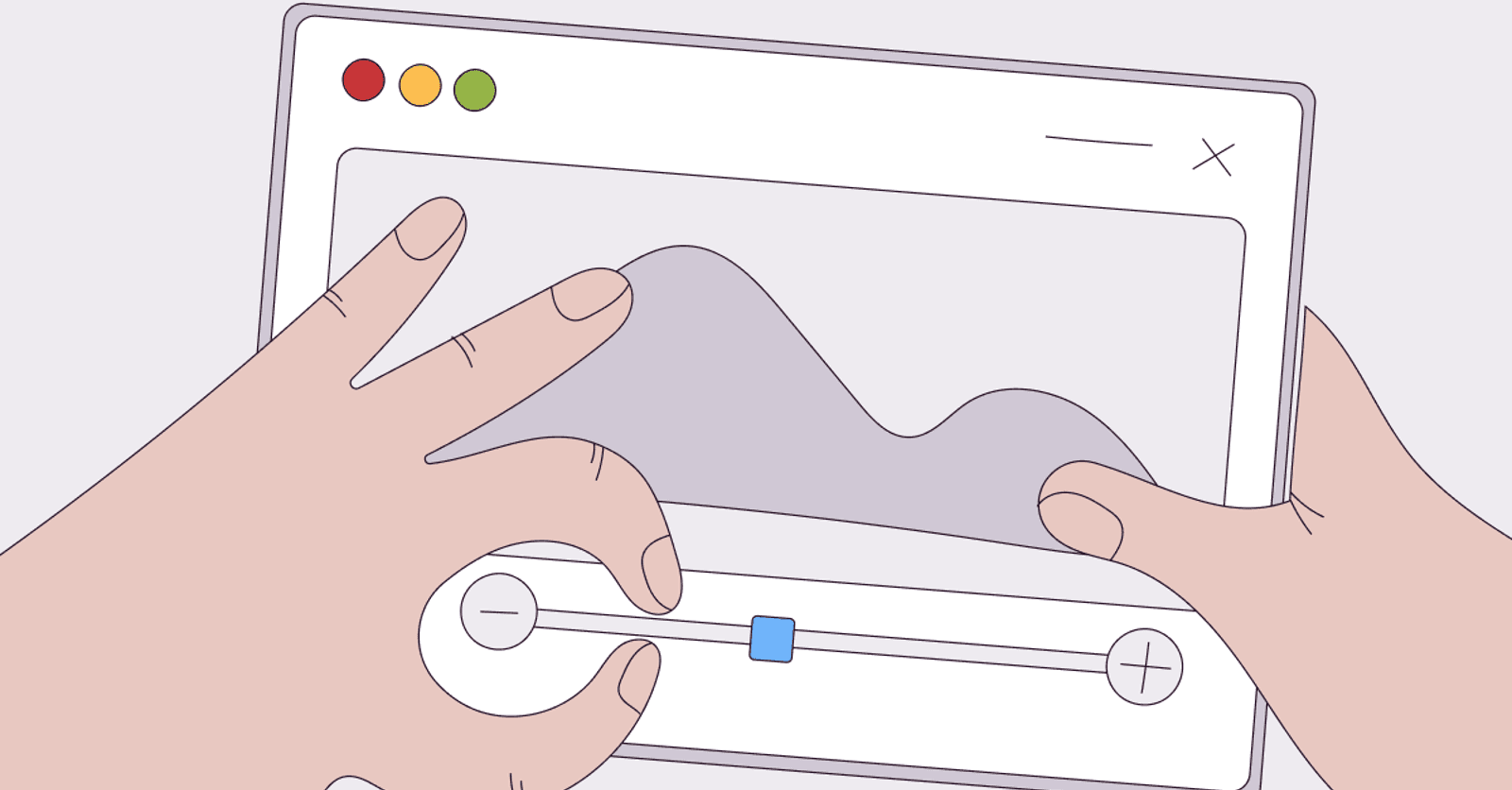
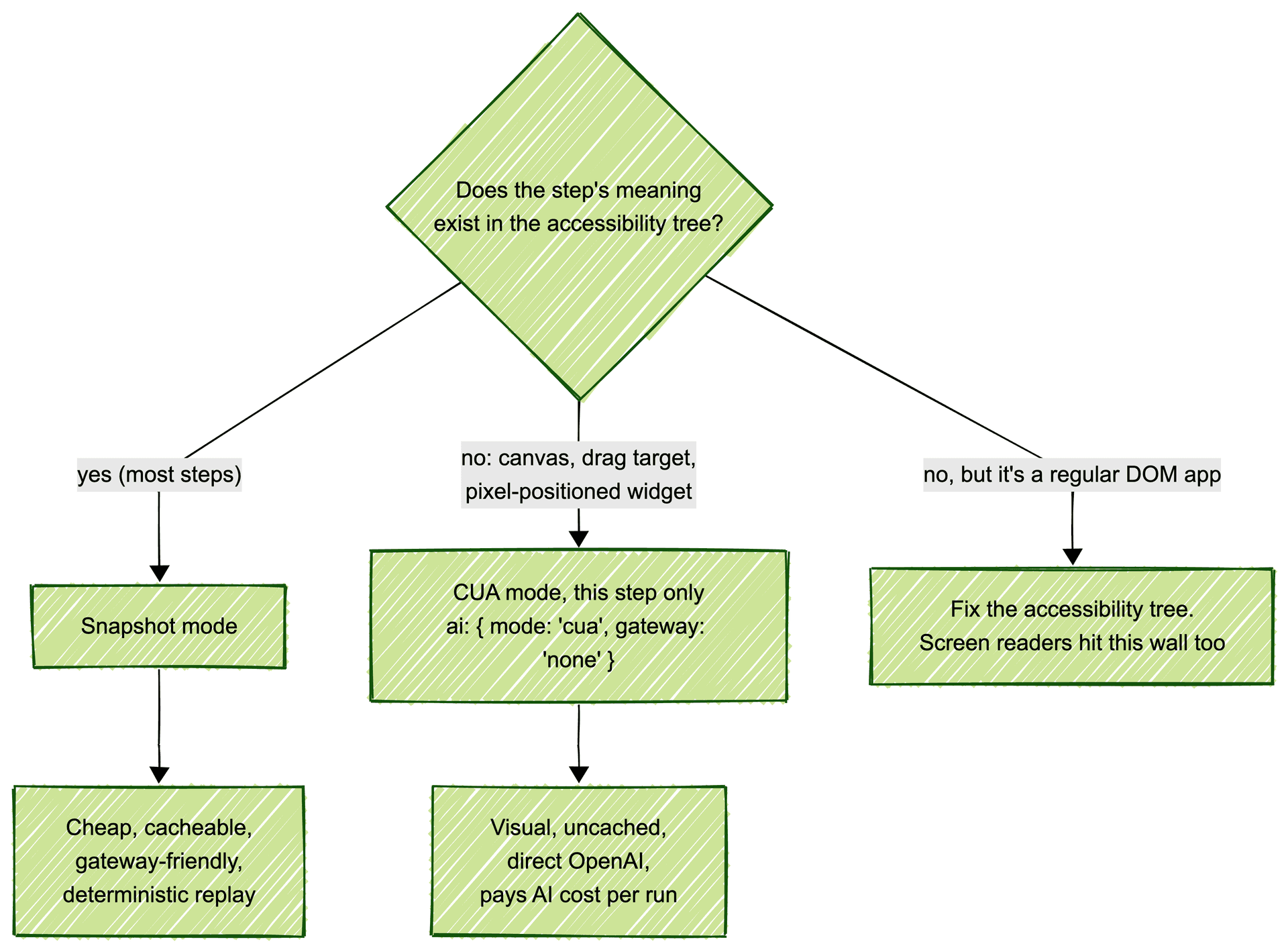
Take a test step like "drag the price slider to $40." Passmark's default execution model resolves steps against an ARIA accessibility snapshot: a small, structured text representation of the page, the same view a screen reader gets. For most steps this is the right tool. It's cheap to produce, precise to act on, and the resolved action can be cached and replayed at native Playwright speed on every subsequent run.
But "drag to $40" doesn't fully exist in that tree. The slider is there; the pixel position that means $40 is not. The same wall shows up wherever meaning lives in rendering rather than structure:
- Canvas-rendered UI. Charts, dashboards, whiteboards, map tiles, WebGL scenes. To the accessibility tree, a canvas is one opaque node.
- Drag-and-drop with positional meaning. Kanban ordering, timeline scrubbing, crop handles.
- Rich visual editors. Design tools and document canvases where the interesting state is painted, not marked up.
- Apps with thin accessibility markup. Sometimes the tree is empty because the app never populated it. That's a bug your team should fix, but your tests still have to run today.
For these steps, Passmark has a second execution mode.
What CUA mode is: a computer-use agent, per step
CUA mode hands the step to OpenAI's computer-use agent. Instead of reading a structured snapshot, the model looks at screenshots of the page and issues coordinate-level actions, click here, drag there, through the built-in computer tool on OpenAI's Responses API. Passmark currently pins this to gpt-5.5; the CUA model is locked and not user-configurable.
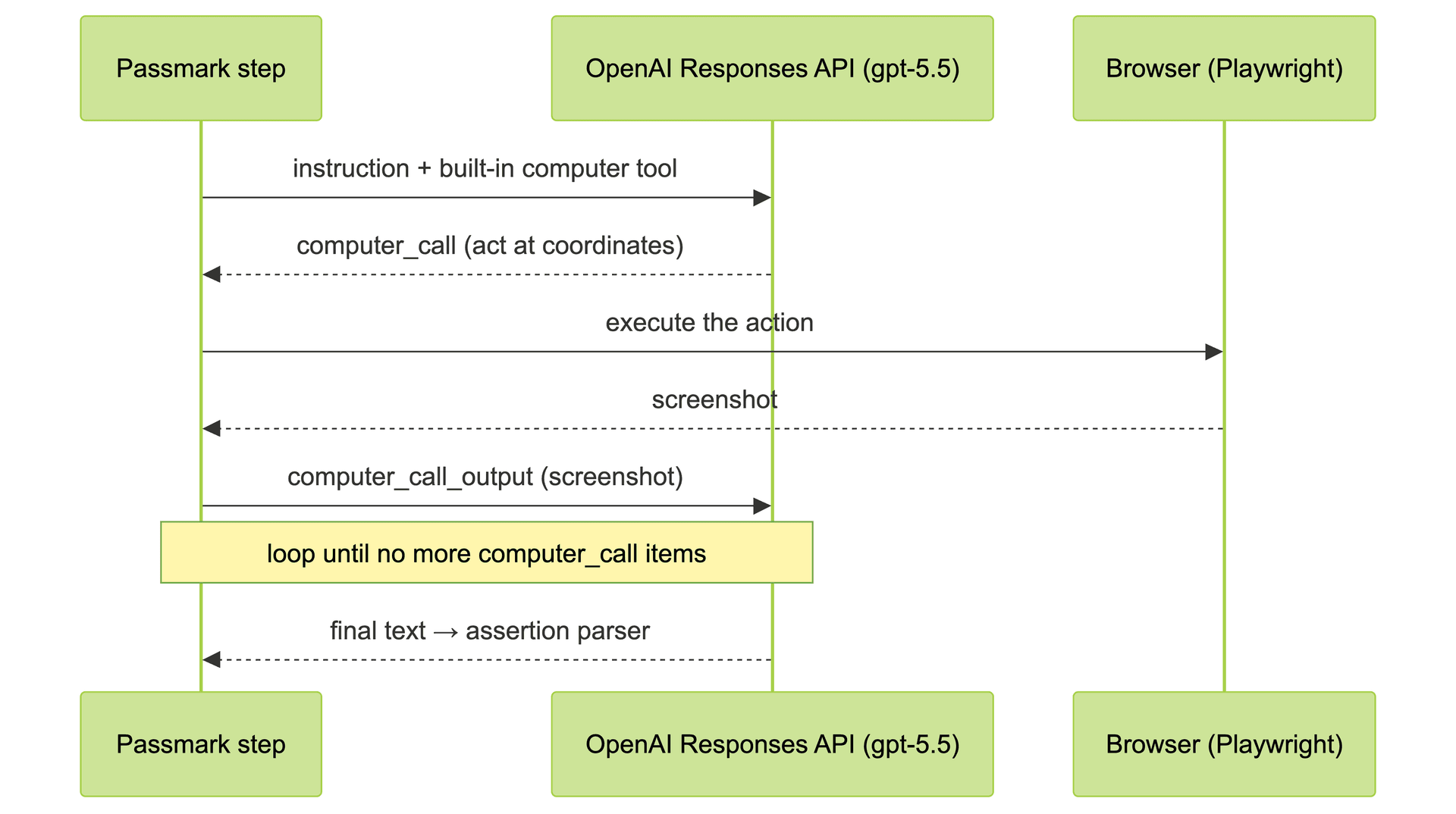
Turning it on globally is one configure() call:
import { configure } from "passmark";

configure({
  ai: {
    mode: "cua",
    gateway: "none", // CUA requires direct OpenAI access
  },
});
Set OPENAI_API_KEY in your .env, and your key needs access to the CUA model and the computer tool. Test code is unchanged: the same runSteps() call, the same natural-language steps. Only the resolution mechanism underneath is different.
The trade-offs
CUA mode is not a free upgrade, and the README is upfront about the constraints:
- No step caching. Redis caching is skipped in CUA mode because coordinate actions aren't portable across viewport sizes. A cached "click at (412, 305)" is meaningless on a different screen. Every CUA step pays the AI cost on every run, and sits outside the cache-and-heal loop that snapshot steps get for free.
- No gateway routing. The Responses-API
computertool is only exposed on direct OpenAI access, sogateway: "vercel","openrouter", and"cloudflare"are incompatible with CUA. Mixing them throws. - Heavier per step. Screenshots are bigger than snapshots, and a visual reasoning loop is slower than a structured lookup.
Snapshot mode is the economical default that makes large suites viable. CUA is the specialist you call in when structure runs out. Which is why the interesting feature isn't the mode itself.
Hybrid runs: one visual step in a cached flow
The same ai shape that configure() accepts can be passed at the runSteps() call level and on individual steps, with precedence step.ai over call-level ai over global configure(). That means a flow can run cheap, cacheable snapshot steps through a gateway and switch to CUA for exactly one step:
configure({ ai: { gateway: "openrouter" } }); // most steps go through OpenRouter

await runSteps({
  page, test, expect,
  userFlow: "Buy product on sale",
  steps: [
    { description: "Navigate to /products" },                     // OpenRouter snapshot
    {
      description: "Drag the price slider to $40",
      ai: { mode: "cua", gateway: "none" },                       // CUA for this step only
    },
    { description: "Click Add to cart" },                         // back to OpenRouter snapshot
  ],
});
The navigation and the cart click stay cached and deterministic. The drag gets eyes. One flow, two sensing modes, priced appropriately per step.
The adjacent trick: video assertions
CUA solves steps that need vision. A related problem is assertions that need time: a toast that appears for two seconds and vanishes before any end-of-flow screenshot. For those, Passmark offers video: true on an assertion, which records the whole step run and evaluates the assertion against the full video via Gemini's Files API. Different feature, same philosophy: pick the sensing mode per step and per assertion, not per suite.
How this plays out in practice
Under Bug0 Managed, the forward-deployed engineer who authors your suite makes this call step by step: snapshot resolution for everything it can see, CUA where meaning is painted to pixels, video where evidence is temporal. Customers never tune any of this, but it's the reason a dashboard full of canvas charts is testable at all under the same roof as a standard checkout flow.
If you're running Passmark yourself, the rule of thumb we use internally is worth stealing. Default to snapshots. Opt into CUA per step, never globally, unless the whole application is a canvas. And if you find more than a small fraction of your steps need CUA on a regular DOM app, treat that as a finding: your accessibility tree is underpopulated, and screen-reader users are hitting the same wall your tests just did.
For where Passmark sits against Stagehand, Agent-Browser, and Expect, we keep a separate head-to-head comparison. The engine itself, hybrid modes included, is open source at github.com/bug0inc/passmark.
FAQs
What is CUA mode in Passmark?
CUA (computer-use agent) mode is an opt-in execution mode where test steps are resolved visually from screenshots by OpenAI's computer-use agent, instead of from ARIA accessibility snapshots. It's built for canvas UIs, drag interactions, and other steps whose meaning isn't represented in page structure.
Why does CUA mode require direct OpenAI access?
The built-in computer tool that drives coordinate-level actions is only available on OpenAI's Responses API. AI gateways like Vercel, OpenRouter, and Cloudflare can't proxy it, so CUA steps require gateway: "none" and an OPENAI_API_KEY with access to the CUA model.
Why aren't CUA steps cached?
Passmark's Redis cache stores resolved actions so repeat runs skip the AI. CUA actions are screen coordinates, which don't transfer across viewport sizes, so caching them would replay wrong clicks. CUA steps therefore run through the model on every execution, which is the main reason to use them selectively.
Can I mix CUA and snapshot steps in one test?
Yes. The ai configuration accepts per-step overrides with precedence step.ai, then call-level, then global configure(). The common pattern is a gateway-routed snapshot flow with ai: { mode: "cua", gateway: "none" } on the one or two steps that need vision.
When should I use video assertions instead of CUA?
CUA is for executing steps that need vision. Video assertions (video: true) are for verifying outcomes that need time, like toasts and snackbars that disappear before a final screenshot. They record the whole step run and evaluate the assertion against the video with Gemini.