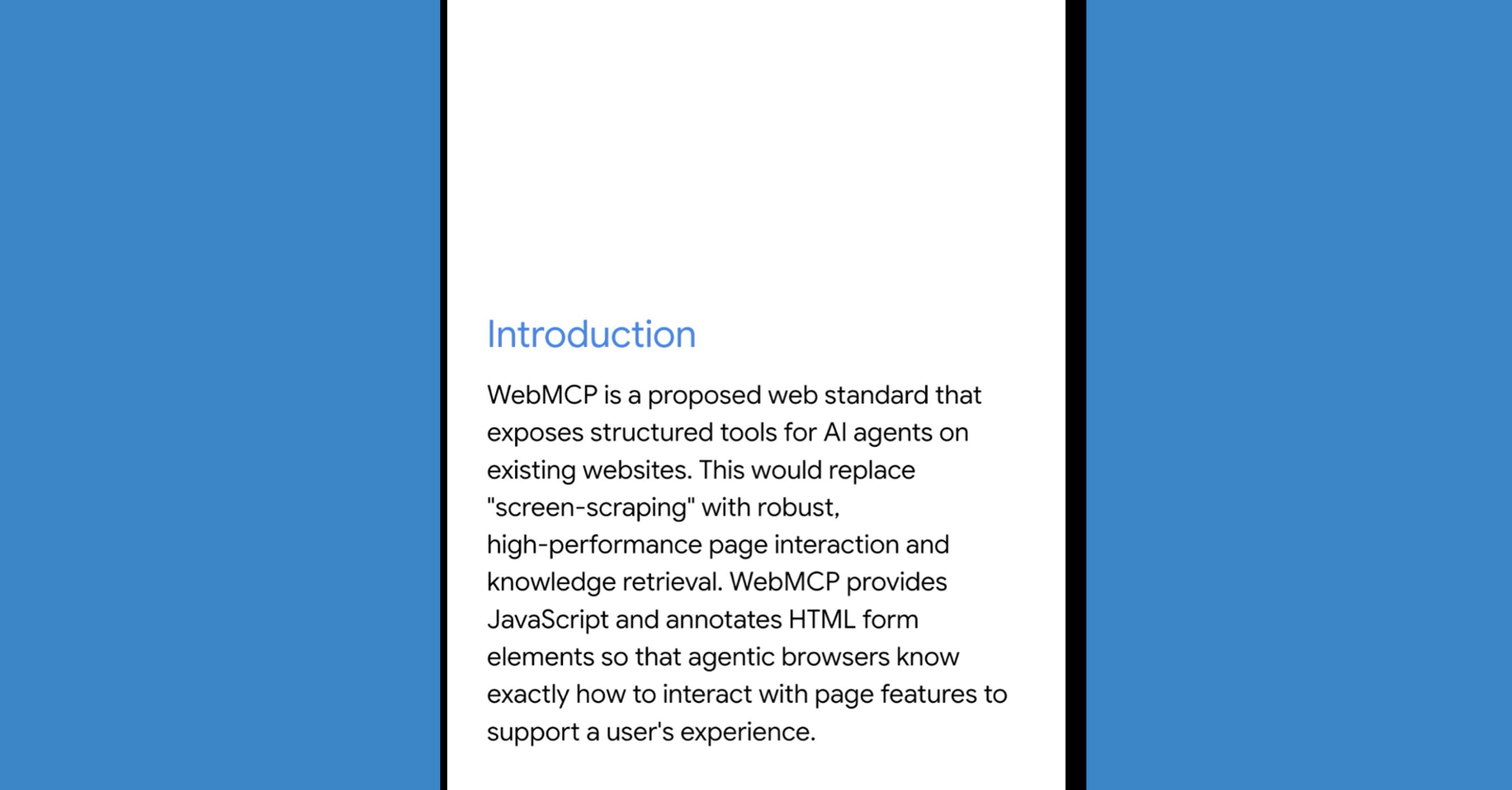
tldr: Chrome 146 ships a flag-gated preview of WebMCP. A W3C standard that lets any web page register structured tools for AI agents (browser-integrated LLMs, agentic extensions, headless automation scripts). No screen-scraping. No separate MCP server. Your frontend JavaScript becomes the agent interface.
The browser just said "AI agents are users now"
Chrome 146 includes a DevTrial for WebMCP, hidden behind the "Experimental Web Platform Features" flag. It's early. But worth paying attention to.
WebMCP is a proposed web standard from the W3C's Web Machine Learning Community Group. The authors? Engineers at Microsoft (Brandon Walderman, Leo Lee, Andrew Nolan) and Google (David Bokan, Khushal Sagar, Hannah Van Opstal). Both browser vendors co-authoring a spec tends to mean it ships eventually.
The core idea: a web page can register structured "tools" that AI agents discover and invoke directly. No DOM scraping. No simulating clicks. No guessing what a button does from its CSS class name. The page tells the agent exactly what actions are available, what inputs they expect, and what they return.
Browsers have always had two audiences: humans and screen readers. WebMCP adds a third: AI agents.
How it actually works
The API lives at navigator.modelContext. Developers register tools with a name, natural language description, JSON Schema for inputs, and a handler function. JSON Schema specifically because it's already the standard for LLM tool-calling. Claude, GPT, Gemini all use it to define function parameters. WebMCP speaks the same language your model already understands. Like most powerful browser APIs, expect this to require a Secure Context (HTTPS). http://localhost gets a pass during development. But if you're using a custom local domain like myapp.test, you'll need a self-signed cert or a tunneling proxy. Plain HTTP in production won't work.
Here's what real tool registration looks like:
navigator.modelContext.registerTool({
  name: 'capture_console_errors',
  description: 'Capture recent console errors from the current page',
  inputSchema: {
    type: 'object',
    properties: {
      severity: { type: 'string', enum: ['error', 'warn', 'all'] },
      limit: { type: 'number', description: 'Max entries to return' }
    },
    required: ['severity']
  },
  handler: async ({ severity, limit = 50 }) => {
    // Same function your monitoring dashboard already calls
    const logs = await getConsoleLogs({ severity, limit });
    return { entries: logs, count: logs.length };
  }
});
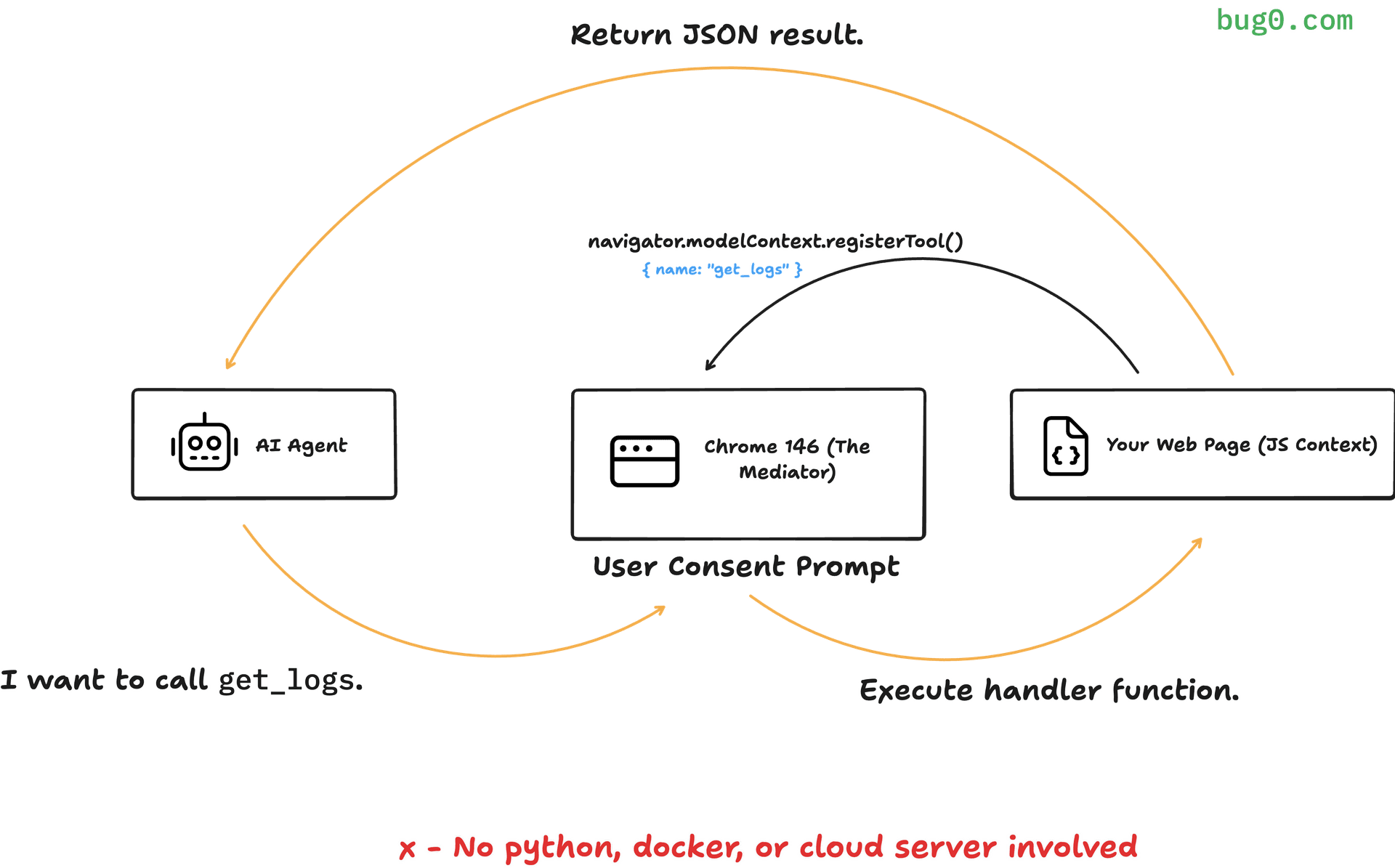
The key insight: the page IS the MCP server. No Python backend. No Node.js process. You reuse the same JavaScript that already powers your forms, buttons, and workflows. Wrap it in a tool definition. Done.
Don't want to write JavaScript at all? The spec is also exploring declarative tools. Standard <form> elements could become agent-callable tools just by adding an attribute. The agent submits the form, and your handler can check SubmitEvent.agentInvoked to know it wasn't a human. That part is still early, but the intent is clear: zero-JS tool registration for simple cases.
The browser mediates every tool call. It shares the user's auth session, so the agent doesn't need separate credentials. It enforces origin-based permissions, so tools only work on the domains that registered them. No dedicated DevTools panel for WebMCP yet, though. You're debugging with console.log and the Application tab for now. Expect tooling to catch up as the DevTrial matures.
One caveat: tool handlers don't magically have access to your UI state. If your app logic is tangled up in React component state or a Redux store, you'll need to expose that data through a shared service layer first. Apps with clean separation between UI and business logic will have an easier time here. Tightly coupled SPAs will need refactoring before WebMCP tools can do anything useful.
Also worth noting: this is a DevTrial. The API surface will almost certainly change before it stabilizes. Method names, parameter shapes, the whole navigator.modelContext interface could shift between Chrome versions. Experiment with it. Build prototypes. Don't ship it to production.
And there's a human-in-the-loop mechanism built in. requestUserInteraction() pauses agent execution to ask for explicit user confirmation before sensitive actions. Agents augment humans. They don't replace them.
The security model
The spec identifies two critical trust boundaries:
-
When a website registers tools. It exposes information about itself and its capabilities to the browser (and any connected agent).
-
When an agent calls a tool. The site receives untrusted input from the agent and may return sensitive user data back.
The browser prompts user consent for specific web app and agent pairs. You approve "Gmail + Claude" once, not "all agents everywhere." Yes, this means another permission prompt. We're already drowning in cookie banners and notification requests. Whether users will actually read this one or just click "Allow" is an open question the spec doesn't address.
Destructive operations get marked with a destructiveHint annotation. But here's the catch: it's advisory, not enforced. The client (browser or agent) decides what to do with it. There's no hard sandbox preventing a tool from deleting your data if the handler allows it.
Then there's the nightmare scenario the spec calls the "lethal trifecta." An agent reads your email (private data), parses a phishing message inside it (untrusted content), and calls another tool to forward that data somewhere (external communication). Each step is legitimate on its own. Together, they're an exfiltration chain.
Prompt injection makes this worse. Mitigations exist. They reduce risk. They don't eliminate it. Nobody has a complete answer here yet.
What's still being figured out
Tool discovery. Today, tools only exist when a page is open in a tab. An agent can't know what tools Gmail offers without navigating there first. Think early SEO before robots.txt existed. Crawlers just showed up and guessed. WebMCP tools have the same problem: no standard way for agents to discover what's available without visiting first. Future work explores manifest-based discovery, something like .well-known/webmcp, so agents find tools before opening tabs.
Multi-agent conflicts. When two agents operate on the same page, they can stomp each other's actions. A lock mechanism has been proposed, similar to the Pointer Lock API, ensuring only one agent holds control at a time.
Non-textual data. How do tools return images, files, or binary data? The current spec focuses on JSON responses. Richer media types are an open question.
Headless scenarios. What happens when no tab is open? Background tool execution introduces new security and UX challenges.
Scale limits. The spec recommends fewer than 50 tools per page to avoid overwhelming agents during discovery. Practical guidance, but it highlights that this is designed for focused tool sets, not the entire application API surface.
Two layers on every website
Every website is about to have two layers. A human layer: visual, branded, narrative. The UI you see. And an agent layer: structured, schema-based, fast. The API agents call. Your CSS is for eyes. Your JSON Schema is for brains.
Early benchmarks show ~67% reduction in computational overhead compared to traditional agent-browser interaction (DOM parsing, screenshot analysis). Task accuracy stays around 98%.
AI agents are already scraping your site. They're simulating clicks. They're guessing what your forms do from placeholder text. WebMCP replaces that guessing with a contract.
How to try it today
-
Install Chrome 146 or later
-
Navigate to
chrome://flags -
Search for "Experimental Web Platform Features"
-
Set to "Enabled"
-
Relaunch Chrome
Then in your page JavaScript:
if ('modelContext' in navigator) {
  navigator.modelContext.registerTool({
    name: 'greet',
    description: 'Say hello to a user by name',
    inputSchema: {
      type: 'object',
      properties: { name: { type: 'string' } },
      required: ['name']
    },
    handler: async ({ name }) => ({ message: `Hello, ${name}!` })
  });
}
The full spec and proposal live at webmachinelearning/webmcp on GitHub.
FAQs
What is WebMCP?
WebMCP is a W3C proposed web standard that adds a navigator.modelContext API to browsers. It lets websites register structured tools that AI agents can discover and call directly, instead of scraping the DOM or simulating user interactions.
How is WebMCP different from traditional MCP?
Traditional MCP requires a backend server (Python or Node.js), separate authentication, and server-to-server communication. WebMCP runs entirely in the browser tab. Tools execute in the page's JavaScript context, share the user's session, and the browser enforces permissions. No backend required.
Which browsers support WebMCP?
Chrome 146 has a DevTrial behind the "Experimental Web Platform Features" flag. Firefox, Safari, and Edge are participating in the W3C working group but haven't shipped implementations yet. The cross-vendor authorship (Microsoft + Google) suggests broader support is coming.
Is WebMCP safe to use in production?
Not yet. The spec is an early draft. Security concerns like prompt injection, data exfiltration through tool chaining, and destructive action enforcement are acknowledged but not fully resolved. Use it for experimentation and prototyping. Not for production workflows handling sensitive data.
The spec is a draft. The flag is experimental. The security model has open questions. None of that changes the fact that Chrome just shipped a native API for AI agents to interact with web pages. That's a first.
If you're exploring WebMCP and want to chat about it, reach out to me on X (@fazlerocks). Happy to help.